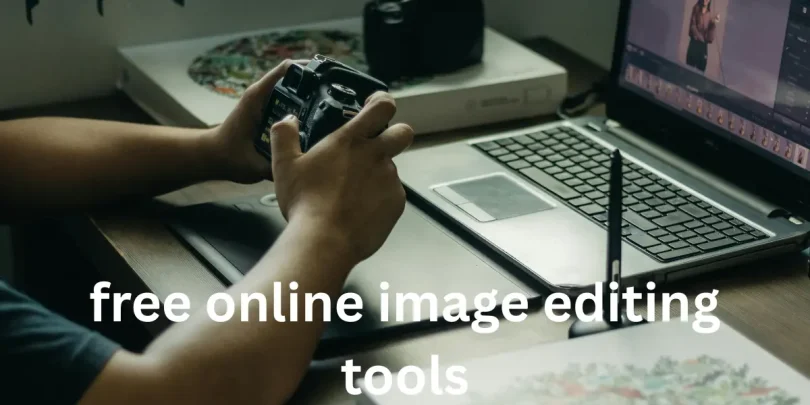

Let’s be real—editing images can feel like a total maze, especially if you’re new to design. You see those perfect Instagram posts, professional-looking presentations, and stunning graphics and wonder how people make them without pulling their hair out, but the truth is, most beginners feel completely overwhelmed by the sheer number of software options out there. Complicated menus, expensive subscriptions, and confusing features can make you want to give up before you even start. That’s exactly why free online image editing tools are such a lifesaver. These platforms strip away the fluff, letting you focus on what really matters: creating something visually appealing without the stress.
Getting Started Without Stress

The beauty of these tools is that they’re designed for anyone to use, whether you’re looking to tweak a photo, design social media posts, or create visuals for work or school. You don’t need years of experience or any fancy software to get started. Everything runs right in your browser, which means no downloads, no installations, and no frustration. Beginners can jump right in, experiment freely, and actually enjoy the process of creating visuals that look polished and professional.
Core Features You’ll Love
These tools offer a wide range of features, from simple cropping and resizing options to filters and effects that change the mood of your image instantly. You can add text overlays, experiment with fonts, and even use templates to get a professional look with minimal effort. For those who want to dive deeper, some tools support layers, which allows you to combine multiple elements and create more complex designs without any steep learning curve. Essentially, you get the freedom to play with your creativity while still keeping things simple and manageable.
Social Media Content Made Easy

These tools are perfect for social media content creation. You can resize images to fit Instagram, Facebook, or Pinterest specifications automatically, add text that grabs attention, and apply filters that match your personal or brand style. Templates make the process even easier by giving you a starting point, so you’re not staring at a blank canvas wondering what to do next.
Professional and Academic Use
Whether it’s a presentation, flyer, or report, visuals matter. Free online image editing tools help you create professional-looking graphics without needing Photoshop skills. You can insert charts, icons, and images, then tweak colors and fonts to make everything look cohesive. Even if design isn’t your strong suit, these tools guide you to look like a pro.
Common Beginner Concerns
No fluff, let’s address the real struggles: fear of messing up, limited features, file formats, and learning curves. Most tools have undo/redo functions so you can experiment without stress. Free versions usually cover all the essential features, and they export in JPEG, PNG, or PDF. Tutorials and community tips make learning faster and easier.
Staying Safe While Editing
Stick to reputable platforms to protect your images. Avoid uploading sensitive content to unknown sites, but most well-known free online image editing tools have strong privacy standards and secure your work.
Tips to Maximize Creativity
Play with layers to combine effects, experiment with color schemes, tweak templates to make them unique, and don’t be afraid to mix filters and effects. The more you experiment, the faster you’ll learn and the more confident you’ll become.
Encouraging Your First Project
Start small. Pick a photo, crop it, add text, maybe apply a filter, and save it. That small accomplishment builds confidence. Over time, these small experiments add up, helping you produce polished visuals without expensive software or long learning curves.
You may also like these
Ultimate Guide on How to Fix Common Computer Problems
How to Speed Up Slow Laptop Easily: Proven Tricks That Work
Master WordPress: How to Use WordPress for Beginners Easily
how to improve website performance and boost speed instantly
Step by Step Tech Tutorials for Beginners to Master Basics Fast
Actionable Checklist
Pick one free online image editing tool and explore its interface. Try cropping and resizing a photo to get familiar with the basic features. Add text overlays or shapes to practice layout and composition. Apply a filter or effect to see how it transforms your image. Save your work and review it to understand what improvements you can make next. Repeat the process with different tools or projects to build confidence and discover your unique style.
Wrapping It Up
Here’s the deal: starting with design doesn’t need to be intimidating or expensive. With free online image editing tools, you can explore, experiment, and create stunning visuals with ease. Practice, patience, and curiosity are all it takes, and every project you complete will build your skill and confidence. Keep going, stay creative, and enjoy the journey—your visuals will only get better from here.
FAQs
What are free online image editing tools?
Free online image editing tools are web-based platforms that let you edit, enhance, and create images without downloading software. They’re easy to use and accessible from any device.
Can I use free online image editing tools for professional work?
Yes, many tools offer advanced features suitable for professional use, such as layering, filters, and high-resolution exports, all without needing paid software.
Do I need to create an account to use free online image editing tools?
Most tools allow instant editing without registration, though signing up may unlock extra features, storage, and templates.
Are free online image editing tools safe to use?
Yes, reputable tools are generally safe. Always choose platforms with good reviews and avoid uploading sensitive personal images on unknown sites.
Can I edit photos and create designs with free online image editing tools?
Absolutely. These tools let you crop, resize, apply filters, add text, and even design graphics for social media, presentations, or marketing materials.